Never Miss Another Deal!

No Fuss Deal Surprise Me

Apple iPad 11-inch (A16) Review: The Everyday iPad Most People Should Buy

The Apple iPad 11-inch: A16 Chip is a fast everyday tablet with a bright display, best for students. Rated 4.7 out of 5 across 28,429 user ratings. The main drawback: only two Apple Pencil models are compatible. We scored it 4.7 out of 5.

By ZappyZep, Tech Editor Published December 19, 2025 Updated September 27, 2026
4.7Our score
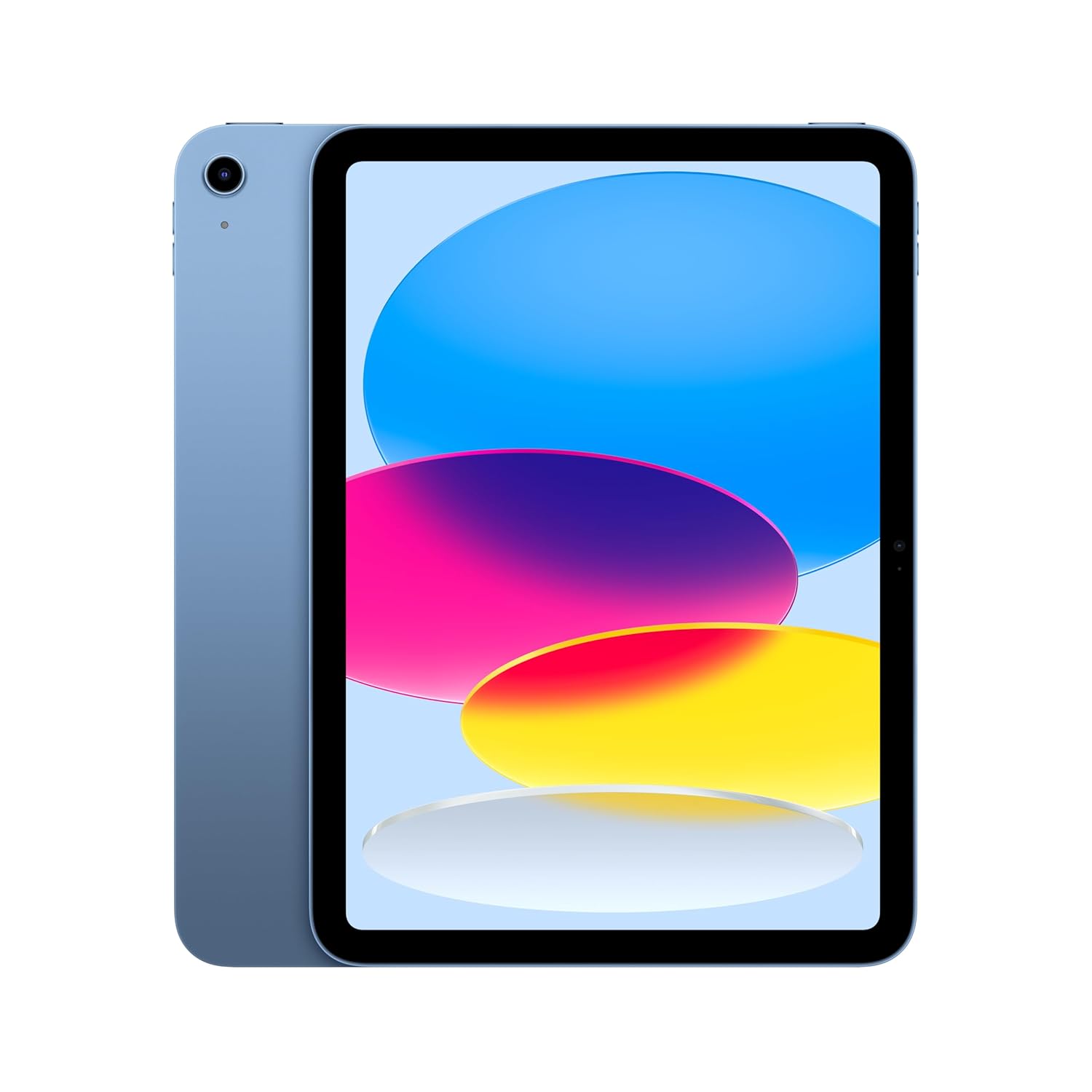
Apple iPad 11-inch: A16 chip, 11-inch Model, Liquid Retina Display, 128GB, Wi-Fi 6, 12MP Front/12MP Back Camera, Touch ID, All-Day Battery Life — Blue Apple iPad 11-inch: A16 chip, 11-inch Model, Liquid Retina Display, 128GB, Wi-Fi 6, 12MP Front/12MP Back Camera, Touch ID, All-Day Battery Life — Blue, view 2 Apple iPad 11-inch: A16 chip, 11-inch Model, Liquid Retina Display, 128GB, Wi-Fi 6, 12MP Front/12MP Back Camera, Touch ID, All-Day Battery Life — Blue, view 3 Apple iPad 11-inch: A16 chip, 11-inch Model, Liquid Retina Display, 128GB, Wi-Fi 6, 12MP Front/12MP Back Camera, Touch ID, All-Day Battery Life — Blue, view 4 Apple iPad 11-inch: A16 chip, 11-inch Model, Liquid Retina Display, 128GB, Wi-Fi 6, 12MP Front/12MP Back Camera, Touch ID, All-Day Battery Life — Blue, view 5 Apple iPad 11-inch: A16 chip, 11-inch Model, Liquid Retina Display, 128GB, Wi-Fi 6, 12MP Front/12MP Back Camera, Touch ID, All-Day Battery Life — Blue, view 6 Apple iPad 11-inch: A16 chip, 11-inch Model, Liquid Retina Display, 128GB, Wi-Fi 6, 12MP Front/12MP Back Camera, Touch ID, All-Day Battery Life — Blue, view 7 Apple iPad 11-inch: A16 chip, 11-inch Model, Liquid Retina Display, 128GB, Wi-Fi 6, 12MP Front/12MP Back Camera, Touch ID, All-Day Battery Life — Blue, view 8 Apple iPad 11-inch: A16 chip, 11-inch Model, Liquid Retina Display, 128GB, Wi-Fi 6, 12MP Front/12MP Back Camera, Touch ID, All-Day Battery Life — Blue, view 9 Apple iPad 11-inch: A16 chip, 11-inch Model, Liquid Retina Display, 128GB, Wi-Fi 6, 12MP Front/12MP Back Camera, Touch ID, All-Day Battery Life — Blue, view 10 Apple iPad 11-inch: A16 chip, 11-inch Model, Liquid Retina Display, 128GB, Wi-Fi 6, 12MP Front/12MP Back Camera, Touch ID, All-Day Battery Life — Blue, view 11 Apple iPad 11-inch: A16 chip, 11-inch Model, Liquid Retina Display, 128GB, Wi-Fi 6, 12MP Front/12MP Back Camera, Touch ID, All-Day Battery Life — Blue, view 12 Apple iPad 11-inch: A16 chip, 11-inch Model, Liquid Retina Display, 128GB, Wi-Fi 6, 12MP Front/12MP Back Camera, Touch ID, All-Day Battery Life — Blue, view 13 Apple iPad 11-inch: A16 chip, 11-inch Model, Liquid Retina Display, 128GB, Wi-Fi 6, 12MP Front/12MP Back Camera, Touch ID, All-Day Battery Life — Blue, view 14 Apple iPad 11-inch: A16 chip, 11-inch Model, Liquid Retina Display, 128GB, Wi-Fi 6, 12MP Front/12MP Back Camera, Touch ID, All-Day Battery Life — Blue, view 15
Product gallery, 15 images
$399.99$449.00 11% off Check price on Amazon

Prices shown were correct on September 27, 2026 and change frequently.

TL;DRThe Short Answer: Is the Apple iPad 11-inch: A16 Chip Worth It?

Owners use words like fast, bright and all-day for this iPad, and the one thing that trips buyers up is choosing the right Apple Pencil. The 11-inch iPad pairs Apple's A16 chip with a 2360 by 1640 Liquid Retina display, 128GB of storage, Wi-Fi 6, USB-C, Touch ID in the top button and 12MP cameras front and back. It is built for reading, streaming, browsing, notes and video calls rather than pro-level work.

NoFussDeal rates the Apple iPad 11-inch: A16 Chip 4.7 out of 5 at $399.99. Last updated September 27, 2026.

Key Facts

Memory Storage Capacity
128 GB
Product Dimensions
9.79 x 7.07 x 0.28 inches
Item Weight
1.05 pounds
Brand
Apple
Model Name
iPad
Screen Size
11 inches

What Stands Out

  1. Apple A16 chip, fast and smooth for everyday use
  2. 11-inch Liquid Retina display, 2360 x 1640 at 264 ppi, with True Tone
  3. 128GB storage, Wi-Fi 6 and a USB-C port
  4. Touch ID built into the top button
  5. 12MP Center Stage front camera and 12MP back camera with 4K video
  6. Works with Apple Pencil (USB-C), Apple Pencil (1st generation) and the Magic Keyboard Folio

Strengths and Drawbacks

What works

  • Fast and smooth for everyday use, games and multitasking
  • Bright, crisp 11-inch display with True Tone
  • Battery lasts a full day for most owners
  • Quick, easy setup and instant Touch ID
  • Light and well built
  • Good 12MP cameras with Center Stage for calls

What does not

  • Only two Apple Pencil models are compatible
  • Keyboard folio and Pencil are extra purchases
  • 128GB can fill up if you store lots of video
  • No flashlight function

Features in Depth

01

The A16 Chip and What It Is Built For

Chip Apple A16 Memory Storage 128 GB Connectivity Wi-Fi 6, USB-C

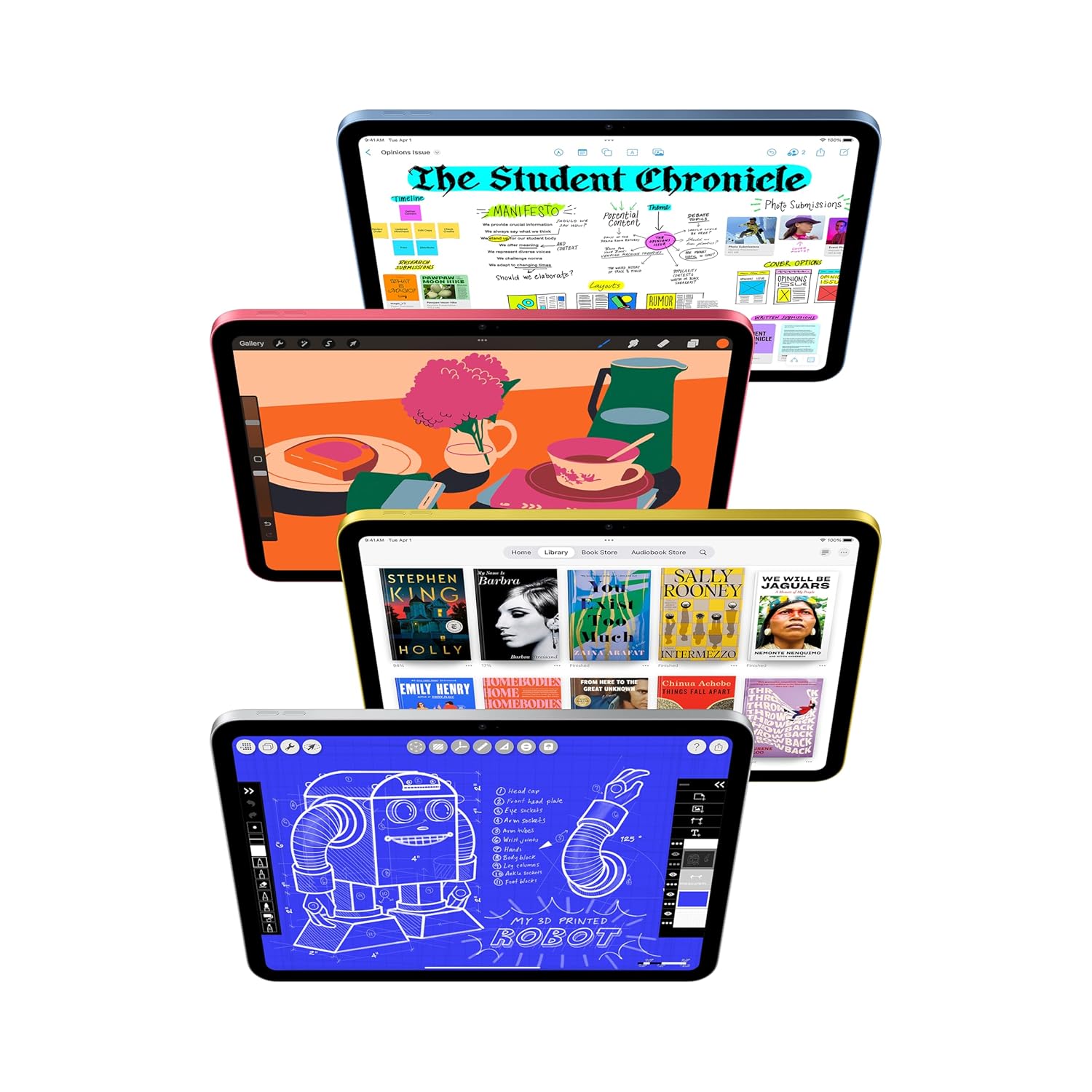
Apple sells the A16 as a superfast chip that delivers a boost in performance, and pitches this iPad at immersive games and editing photos and videos. For everything most people do with an iPad, that holds up in daily use: it runs fast and smooth for streaming, multitasking and everyday use, with no delays, and performance is the standout strength. The rest of the platform is current: USB-C for charging and accessories, Wi-Fi 6, and a 12-megapixel camera on both front and back. Apple builds the front one, a Center Stage camera, for video calls and selfies, and gives the back one a True Tone flash and 4K video, which makes it as useful for scanning documents as for photos. Storage starts at 128GB, the size of this model, and goes up to 512GB. A great many people use an iPad as a screen for reading, watching, drawing, browsing and video calls, and this one is built squarely for that.

$399.99 4.7/5 Check price
02

Apple Pencil: Which One, and Why It Matters

Stylus Apple Pencil (USB-C) or 1st generation Keyboard Magic Keyboard Folio, separate Handwriting Scribble in any text field

Apple names two styluses for this iPad: Apple Pencil (USB-C) and Apple Pencil (1st generation). That is easy to read past and worth knowing, because Apple sells several styluses that look broadly similar and are not interchangeable, and which one a given iPad supports is determined by the hardware rather than by preference. Check the name before you buy one. With a supported Pencil, Apple pitches the iPad as a drawing canvas and a note-taking device, and Scribble lets you write by hand into any text field. For handwriting notes, annotating documents, marking up photographs and general sketching, that is the job this pairing is made for. The Magic Keyboard Folio turns the tablet into something closer to a laptop, with a two-piece design: a detachable keyboard and a protective back panel that both attach magnetically. Both are separate purchases, and one owner who added a Pencil and a folio cover is very happy with the combination.

$399.99 4.7/5 Check price
03

The Display, the Weight, and Living With It

Display 11 in, 2360x1640, 264 ppi Item Weight 1.05 pounds Dimensions 9.79 x 7.07 x 0.28 inches

The 11-inch Liquid Retina display runs at 2360 by 1640 pixels, which works out to 264 pixels per inch, comfortably past the density at which individual pixels stop being visible at normal viewing distance, so text is crisp and images are clean. Screen quality is among the things buyers single out. The feature worth knowing about is True Tone, which adjusts the display to the colour temperature of the light in the room. The effect is subtle and the benefit is not: a screen that stays neutral-looking under warm evening lamplight as well as under daylight is markedly less tiring to read from for long periods. Physically it is 9.79 by 7.07 inches, just over a quarter of an inch thick, and 1.05 pounds. That weight is the number that determines whether you use it: light enough to hold one-handed for a while and comfortably light in a bag, though heavy enough that reading in bed with it held above your face gets tiring. One owner finds it light but still strong. Apple promises all-day battery life, and owners back it up: one gets about 10 hours from a charge, another says it lasts from morning to night.

$399.99 4.7/5 Check price
04

Touch ID and the Verdict

Setup Quick and easy Battery All-day, per Apple Security Touch ID in top button

Authentication here is Touch ID rather than face recognition, with the sensor built into the top button, and Apple lets you use it to unlock the iPad, sign in to apps and pay with Apple Pay. In practice this is a sensible arrangement for a tablet and arguably better than the alternative: a tablet gets held in every orientation and propped at every angle, and a fingerprint sensor under your finger as you press the button works regardless of which way up it is, whereas face recognition on a device lying flat on a table means leaning over it. It is quick and convenient to use. The verdict is clear once you have checked which Pencil you need. If you want a fast, light, long-lasting tablet for reading, browsing, watching, note-taking, video calls and general use, this is very well judged, and the consistency across performance, battery life, screen and value for money is unusual. Setup is quick and easy too, including pairing it with an iPhone. It is genuinely well priced for what it is.

$399.99 4.7/5 Check price

How We Scored It

Based on
The manufacturer's published specifications and the product's live Amazon listing.
Owner rating
4.7 out of 5 on Amazon, recorded September 27, 2026
How we score
We score each thing that comes up most in owner feedback on the Apple iPad 11-inch. Eight things come up most in owner feedback: all eight draw praise. Its ratings average 4.7 stars (88% five stars, 6% four, 2% three and 4% one or two), so every score starts at 94, that average on a 100 point scale. Where opinion is split, we take off 6. Where it draws mostly complaints, we take off 12. Then we read eight owner reviews in full (every one we found gave it four or five stars) and move the score up to 5 points either way depending on how the owners who mention it rated the product. Our overall score starts from the same 4.7 star average and loses 0.1 for each thing that draws mostly complaints, with 0.1 more when at least a tenth of ratings are one star, never more than 0.3 in all. Nothing comes off here, so it stays at 4.7. Read our editorial standards

Performance

Two of the eight owner reviews we read mention it. All of them gave the product four or five stars. Score 98: we started at 94 and added 5 because the owner reviews that mention it are positive, capped at 98, the highest any score goes.

98Positive

Functionality

Three of the eight owner reviews we read mention it. All of them gave the product four or five stars. Score 98: we started at 94 and added 5 because the owner reviews that mention it are positive, capped at 98, the highest any score goes.

98Positive

Battery Life

Six of the eight owner reviews we read mention it. All of them gave the product four or five stars. Score 98: we started at 94 and added 5 because the owner reviews that mention it are positive, capped at 98, the highest any score goes.

98Positive

Ease Of Use

Four of the eight owner reviews we read mention it. All of them gave the product four or five stars. Score 98: we started at 94 and added 5 because the owner reviews that mention it are positive, capped at 98, the highest any score goes.

98Positive

Enjoyment

None of the eight owner reviews we read mention it. Score 94: its 4.7 star average on a 100 point scale.

94Positive

Color

Three of the eight owner reviews we read mention it. All of them gave the product four or five stars. Score 98: we started at 94 and added 5 because the owner reviews that mention it are positive, capped at 98, the highest any score goes.

98Positive

Owner Satisfaction

88% of ratings are five stars and 6% are four. 2% are three stars and 4% are one or two. Very few ratings land that low. Score 94: its 4.7 star average on a 100 point scale.

94Positive

Value for Money

Three of the eight owner reviews we read mention it. All of them gave the product four or five stars. Score 98: we started at 94 and added 5 because the owner reviews that mention it are positive, capped at 98, the highest any score goes.

98Positive

Specifications

Size and weight

Memory Storage Capacity
128 GB
Product Dimensions
9.79 x 7.07 x 0.28 inches
Item Weight
1.05 pounds
Screen Size
11 inches

Other specifications

Brand
Apple
Model Name
iPad

What Buyers Say

Based on 28,429 Amazon customer ratings, averaging 4.7 out of 5, recorded 12 September 2026. See the reviews on Amazon

★★★★★

great buy!

omg i love this so bad!! was delivered like 3 days early, great quality, easy to setup and merge with my iphone, 100% battery life, adult and kid friendly, and functions so well. great buy!
Nina · Dec 07, 2025
★★★★★

Fast, Bright, and Great All-Around iPad

This iPad is excellent. The A16 chip makes everything fast and smooth, the 11-inch Liquid Retina display looks great, and the battery easily lasts all day. The cameras are clear, and the Tou… Read it on Amazon
Jacob Wamego · Nov 29, 2025
★★★★★

Love this iPad!

I’m so happy with this iPad! The color is beautiful in person, the screen is super clear, and it runs really smooth. The battery lasts a long time and it’s perfect for watching movies, playi… Read it on Amazon
Crece Peals · Dec 01, 2025
★★★★★

Love Apple Products

The iPad’s screen and overall build quality are excellent, featuring a Liquid Retina display, high quality glass, and a sturdy metal body. The scratch resistant screen holds up well in daily… Read it on Amazon
Cia · Nov 30, 2025
★★★★★

Excellent Choice

I recently bought this product and I’m really impressed. It works exactly as described: sturdy build quality, comfortable to use, and the design feels thoughtful and user-friendly. Setup was… Read it on Amazon
Sara Sosa · Dec 03, 2025
★★★★☆

A good investment

I love the ipad so far, it’s the real deal, good quality and comes brand new. Be mindful that this particular model does NOT have a flashlight if that is something specific that you are look… Read it on Amazon
Moriah · Dec 07, 2025

Setting It Up

  1. Power On and Sign In

    Press and hold the top button until the Apple logo appears, then follow the setup screens for language, Wi-Fi and your Apple Account. If you have an iPhone nearby, it can transfer settings to speed things up.

  2. Set Up Touch ID

    Register fingerprints for the top button. Add a thumb and a finger from each hand, since which digit reaches the button depends on how you are holding the iPad.

  3. Check Display Settings

    Turn on True Tone in Display & Brightness so the screen adapts to the light in the room.

  4. Pair an Apple Pencil

    Use Apple Pencil (USB-C) or Apple Pencil (1st generation) only, and follow Apple's pairing instructions for your model.

  5. Attach a Keyboard or Case

    The Magic Keyboard Folio's keyboard and back panel attach magnetically. Any case is worth fitting early for a device you will carry around.

Common Questions

Is it fast enough for games and photo editing?

Yes. Apple pitches the A16 at exactly that, immersive games and editing photos and videos, with all-day battery life. In daily use it stays fast and smooth for streaming, multitasking and everyday tasks, with no delays, and performance is the strongest impression it leaves.

Can I use this iPad for drawing?

For handwriting, annotating documents, marking up photographs and general sketching, yes. Apple pitches it with Apple Pencil (USB-C) as a drawing canvas, Apple Pencil (1st generation) works with it too, and the 264 ppi screen keeps lines crisp. Make sure any Pencil you buy is one of those two, because Apple's styluses are not interchangeable.

Is 128GB enough storage?

For apps, documents and streaming, comfortably. Apple offers this iPad with up to 512GB, and the extra space matters mainly if you store films offline or shoot a lot of 4K video. If that is you, choose the larger tier at purchase; upgrading then is far cheaper than regretting it.

What will the accessories add to the price?

Enough to weigh before ordering. The Pencil, the Magic Keyboard Folio and a larger storage tier all cost extra, and a protective case is sensible for something you carry around. Budget the realistic total rather than the tablet alone.

Should I register more than one fingerprint?

Yes: a thumb and an index finger from each hand. Which digit lands on the top button depends entirely on how you are holding the tablet, and a tablet gets held in every orientation. Registering several makes Touch ID work without you having to think about your grip.

Does it have cellular connectivity?

This configuration is Wi-Fi only, with Wi-Fi 6, which Apple pitches for fast downloads, uploads and streaming. If you need a data connection away from wifi, that is a different model and a different price. USB-C handles charging and accessories.

On Video

6 videos

Why the cheapest iPad (A16) is the BEST iPad in 2025!

Mark Linsangan
All videos
  1. Why the cheapest iPad (A16) is the BEST iPad in 2025! Mark Linsangan
  2. Does the iPad A16 Have Everything You Actually Need? (Apple iPad 11th Gen) Adam Talks Tech
  3. 2025 iPad 11 (A16) Cheapest Best Value iPad ever ! - Review Treborray
  4. New Apple iPad 11-inch A16 chip Review The Inspect Aspect
  5. Apple FINALLY got this RIGHT - iPad 11 (2025) Denki
  6. Apple's Cheapest iPad (A16) Shane Symonds

The Verdict

4.7Out of 5

The A16 iPad gets the everyday things right: it is quick, the screen is sharp and bright, the battery lasts a day, and Touch ID and setup are painless, all with unusually consistent praise. The things to plan for are accessories and storage: only two Apple Pencils work, the keyboard folio costs extra, and heavy video users may want more than 128GB.

Who should buy it

  • Students who take handwritten notes with an Apple Pencil
  • Readers and streamers who want a sharp, light tablet
  • Families who want a simple, easy-to-set-up iPad
  • Remote workers who make lots of video calls

For reading, streaming, notes and calls, this is the iPad most people should buy. Choose the right Pencil and enough storage, and there is little to complain about.

Check price on Amazon

More Reviews